
There's no single fixed IPTV price in Canada: the final CAD amount depends on plan length, simultaneous connections, tax and included sports. WATCHING FORCES publishes its subscription prices on its website; no current package price is quoted here without independent checkout verification.
The useful comparison isn't the smallest advertised monthly number. It's the amount your household will pay after accounting for the viewing rights, devices and internet capacity you actually need.
Table of Contents
- Canadian IPTV Price Benchmarks to Compare Against
- Plan Length and Connections That Change Your Monthly Rate
- Taxes That Change the Final CAD Amount
- Sports Rights That Can Change the Price
- What Internet Speed Adds to the True Monthly Cost
- Free Trials, Refunds and the Checkout Routine Before You Pay
Canadian IPTV Price Benchmarks to Compare Against
An IPTV Canada price comparison needs a reference point, but Canadian television benchmarks measure different things. A regulated basic-package ceiling is a pricing rule. Average household spending describes what households spent across a category, not what a particular subscription should cost.
The CRTC's broadcasting-sector report estimates that average monthly household spending on broadcasting distribution undertakings fell from CAD 36.20 in 2021 to CAD 28.60 in 2024, while spending on online undertakings rose from CAD 25.70 to CAD 34.70 over the same period. These figures suggest that households shouldn't judge internet television savings against traditional television bills alone.
Canadian TV spending benchmarks in CAD per month
| Benchmark | Figure (CAD per month) | Year | What it measures |
|---|---|---|---|
| Regulated basic service ceiling | 25 | Confirmed in 2023, unchanged since March 2016 | Maximum for the regulated basic package, excluding equipment |
| Average cable or satellite spend | 28.60 (2021: 36.20) | 2024 | Estimated household spending on broadcasting distribution undertakings |
| Average online television spend | 34.70 (2021: 25.70) | 2024 | Estimated household spending on online undertakings |
The regulated-package figure is a historical benchmark, not a universal ceiling on internet-delivered entertainment. The household averages also aren't market quotations, recommended budgets or evidence that any particular IPTV offer is fairly priced.
A household replacing a traditional television package may still retain streaming apps, sports subscriptions or specialty programming. Its television-distribution bill can fall while its combined entertainment bill stays unchanged.
Practical rule: Use benchmarks to question a quote, not to approve it. A price only becomes comparable when the package contents match.
For multilingual households, that means checking the specific French, Arabic, English or other international channels family members watch. A large catalogue doesn't establish that the required regional feed, programme or language version is available.
Build your comparison around required content, simultaneous screens and the final payable amount. Then examine whether an apparently inexpensive subscription leaves something essential outside the package.
Plan Length and Connections That Change Your Monthly Rate
A monthly equivalent and a monthly payment aren't the same thing. Longer subscriptions can reduce the equivalent monthly rate, but they also require more money upfront and expose more of your budget to the cancellation terms.
The CRTC's Broadcasting Decision 2023-308 confirmed that licensed television distributors generally couldn't charge more than CAD 25 monthly for regulated basic service, excluding equipment, with that ceiling unchanged since March 2016. That narrow scope matters: expanded sports, international programming and premium entertainment shouldn't be evaluated as though every package were regulated basic television.
Compare the payment with the usable term
Consider these hypothetical examples, not subscription offers. An annual plan costing CAD 240 upfront has a CAD 20 monthly equivalent, while a CAD 135 six-month plan works out to CAD 22.50 per month.
A hypothetical CAD 25 monthly subscription costs CAD 300 over twelve months. The annual example therefore saves CAD 60 if you use the full term, but unused prepaid access isn't a saving when you stop watching and can't obtain a refund.
Billing terms and connection tiers compared
| Plan length or connections | Per-month price basis | Trade-off | Confirm before paying |
|---|---|---|---|
| Monthly plan | Single monthly charge | Flexible term, potentially higher monthly rate | Renewal date and cancellation steps |
| 3-month plan | Total divided by 3 | Potential discount, paid upfront | Whether tax is included |
| 6-month plan | Total divided by 6 | Larger upfront commitment | Refund rules if cancelled early |
| 12-month or annual plan | Total divided by 12 | Potentially lowest equivalent rate, largest upfront cost | Refund terms and treatment of bonus months |
| 1 connection | Tier charge divided by paid months | One screen at a time | Current single-connection price |
| 2 to 3 connections | Tier charge divided by paid months and included connections | Concurrent viewing for smaller households | Simultaneous-stream and device limits |
| 4 to 5 connections | Tier charge divided by paid months and included connections | More screens available together | Whether connections share the same package |
A connection means a device able to stream at the same time as another device. Installing a player on several televisions doesn't necessarily give you permission to run them all simultaneously.
We offer channel packages and multi-device subscription options. Use our multiple-device subscription guide to distinguish installed devices from concurrent viewing, then compare the cost per screen your household will realistically use.
Separate subscription access from player costs
An IPTV player licence pays for software functionality, not necessarily television content. Confirm whether the licence is included, charged once or renewed separately, and whether its refund conditions differ from the subscription's.
Treat VIP offers and bonus months just as carefully. Establish what the upgrade adds, whether extra months extend the usable term and what remains refundable.
Once you know your preferred term and simultaneous-screen requirement, check current website prices against those exact choices rather than comparing unmatched headline offers.
Taxes That Change the Final CAD Amount
The Canada Revenue Agency's digital-economy guidance treats online subscription-based video streaming as a taxable digital service, generally subject to 5% GST or the applicable HST, and gives Ontario's 13% HST and British Columbia's 5% GST as examples. Tax treatment is determined for each subscription billing period.
That doesn't make the GST example a complete statement of every provincial obligation. In a province with separate sales-tax rules, establish whether an additional provincial charge applies to the transaction.
Tax on a hypothetical CAD 30.00 pre-tax monthly plan
| Province | Tax applied | Combined rate |
|---|---|---|
| Ontario | HST | 13% |
| British Columbia | GST in the CRA example; confirm any provincial sales tax | 5% or more |
| Alberta | GST only | 5% |
| Quebec | GST plus applicable QST | Confirm the applicable combined treatment before payment |
For the hypothetical CAD 30.00 pre-tax plan, applying Ontario's stated HST produces CAD 33.90. Applying GST alone produces CAD 31.50, which illustrates the Alberta calculation and the GST component of the British Columbia example, not necessarily a complete British Columbia invoice.
For Quebec, obtain the applicable QST treatment and a written final quote rather than borrowing another province's total. A calculator is only useful after you've established which taxes the seller must apply.
Tax-inclusive prices need different arithmetic
Our prices are in Canadian dollars and include applicable taxes. Don't automatically add tax again to a tax-inclusive quote; check that the checkout total matches the selected package and billing term.
For any comparison, record:
- Currency: Confirm the charge is in CAD, not a converted foreign-currency amount.
- Tax treatment: Identify whether tax is included or added separately.
- Billing period: Check the amount charged now, not just the monthly equivalent.
- Additional items: Separate player licences, upgrades and other purchases from the base subscription.
Compare the final CAD amount payable, not a pre-tax price beside a tax-inclusive competitor.
A monthly subscription attracts its applicable tax treatment each billing period. A prepaid term should likewise be assessed using its actual invoice total, then divided across the usable months for budgeting.
Sports Rights That Can Change the Price
An IPTV price doesn't establish that every sport you watch is included. Canadian sports streaming services are sold separately, and access to a sports network isn't interchangeable with access to every game, event or third-party app.
The MoneyGenius Canadian sports-streaming guide lists TSN+ at CAD 8 to CAD 26.99 monthly and Sportsnet+ at CAD 29.99 to CAD 42.99 monthly, within a broader range of approximately CAD 8 to CAD 114.99 across services. It also describes a Sportsnet+ annual tier increasing 30%, from CAD 249.99 to CAD 324.99.
Canadian sports streaming prices in CAD
| Service or range | Listed price (CAD) | Note |
|---|---|---|
| TSN+ | 8 to 26.99 per month | Sold separately from IPTV subscriptions |
| Sportsnet+ | 29.99 to 42.99 per month | Sold separately from IPTV subscriptions |
| Sportsnet+ annual tier | 249.99 rising to 324.99 | Reported increase of 30% |
| Full Canadian sports streaming range | About 8 to 114.99 per month | Range across services, not a single subscription price |
These are reference listings, not guaranteed current checkout prices. Verify the provider's present package and event rights before budgeting.
Family viewing needs a more precise checklist than a long channel list.

Verify the event before counting the saving
- List your priorities. Write down the teams, leagues, tournaments and championship events you watch.
- Identify the viewing right. Distinguish live coverage from replays and highlights.
- Check regional restrictions. Confirm availability for your location and the specific fixture.
- Confirm the language feed. English and French commentary may not be available through the same option.
- Compare channel counts last. Breadth matters only after the required rights are established.
We provide access to sports networks covering regional and international events, including tournaments, league matches and championship events. That description isn't a guarantee that a particular fixture is available; verify the exact coverage and authorized availability before treating another subscription as replaceable.
A paid IPTV subscription doesn't automatically include Netflix, Disney+ or other third-party platforms. Where the required rights aren't available, budget for the authorized sports provider instead.
What Internet Speed Adds to the True Monthly Cost
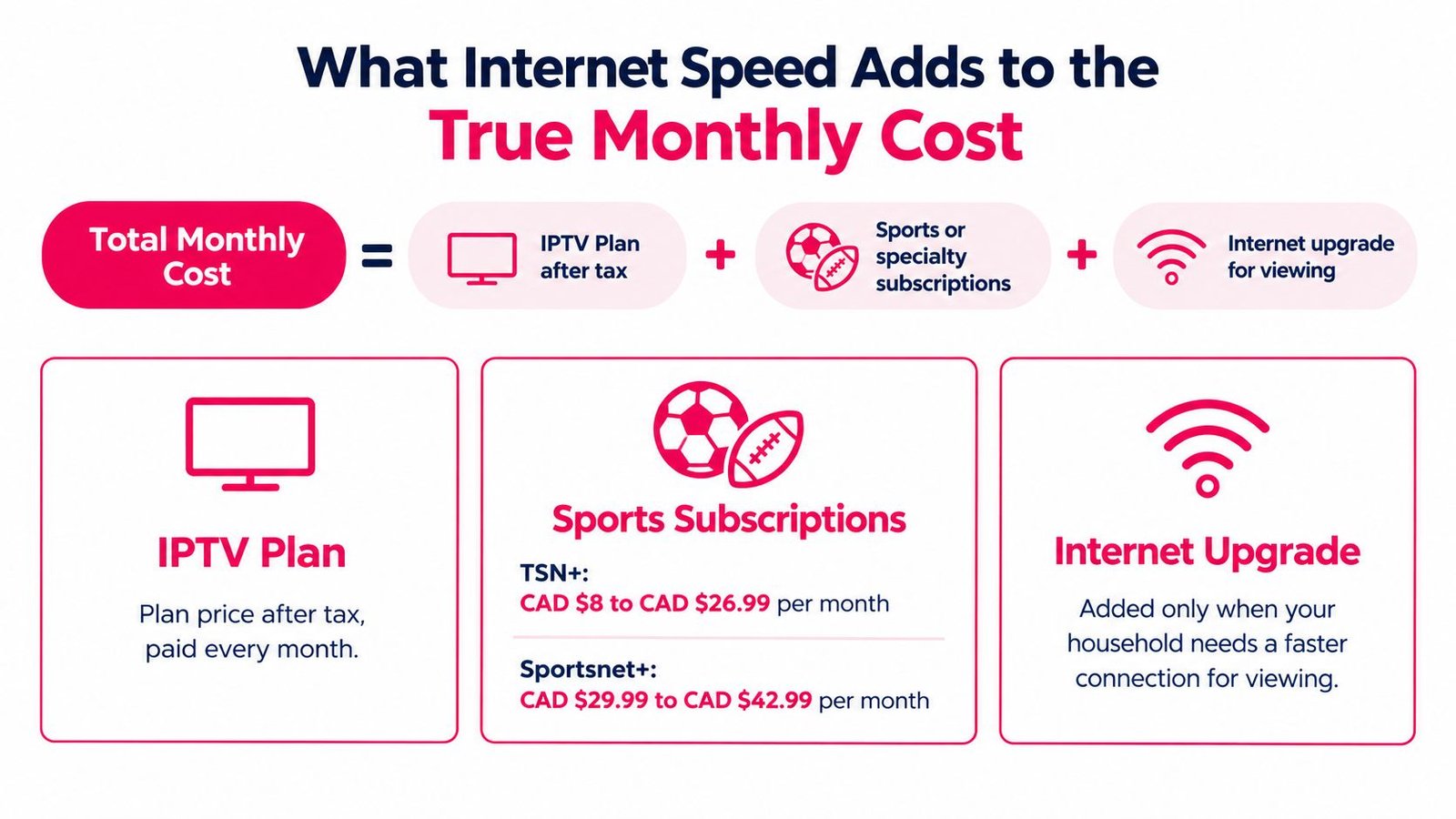
Total monthly cost = IPTV plan after tax + third-party sports or specialty subscriptions + any internet upgrade needed for viewing + player or hardware costs spread across the usable term.
That formula measures the incremental cost of your television choice. For a complete household budget, also record the broadband bill you already pay, but don't count the whole bill as a new IPTV expense if you'd keep the connection anyway. Only the upgrade above your current tier belongs in the comparison.
Statistics Canada puts average household internet spending at approximately CAD 87 monthly in 2023 and reports that internet access prices rose 2.9% from 2024 to 2025. Those figures provide context, not a quote for the internet service your address can receive.
The cost components are easiest to review separately.
Match bandwidth to simultaneous viewing
Typical streaming requirements run about 3 to 5 Mbps for standard definition, 5 to 8 Mbps for HD and 25 Mbps for 4K per stream. Multi-screen households should add the per-stream figures together, then leave headroom for other household internet use running at the same time.
| Streams at once | Quality | Download guidance |
|---|---|---|
| 1 stream | Standard definition | 3 to 5 Mbps |
| 1 stream | HD | 5 to 8 Mbps |
| 1 stream | 4K | About 25 Mbps |
| 2 streams | HD | About 10 to 16 Mbps |
| 3 streams | HD | About 15 to 24 Mbps |
| 2 streams | 4K | About 50 Mbps |
Two patterns stand out in that table. HD viewing scales gently, so three simultaneous HD streams fit comfortably within capacity most Canadian plans already deliver. 4K changes the arithmetic fast: two concurrent 4K streams alone draw about 50 Mbps before anyone else in the household opens a laptop.
The CRTC's historical broadband policy identified 5 Mbps download and 1 Mbps upload as target minimums supporting a single user's higher-quality audio, video and conferencing. That's not a guarantee for a multi-screen household or a substitute for testing current viewing conditions.
Test before buying a faster plan
Run a speed test beside the television during your normal viewing hours, then repeat using Ethernet where possible. Pause background downloads and compare playback on the same device and programme.
Evening results matter more than midday ones, because congestion peaks when the household and the neighbourhood are both online. A single daytime test can overstate what you receive at 8 p.m.
If Ethernet improves playback, investigate Wi-Fi placement or interference before paying for a faster internet tier. If interruptions persist despite adequate local capacity, record the affected channel, device, player and time for support. Our internet-speed requirements guide can help you assess the connection before changing subscriptions.
Model the household rather than the headline
These hypothetical budgets aren't current package quotations. They use a CAD 30.00 pre-tax plan with 13% HST, producing CAD 33.90, and assume any stated sports amount is already the final payable charge.
- Low use: A household watching one HD stream pays CAD 33.90 monthly on existing broadband, with no additional player or hardware charge assumed.
- Medium use: Adding a hypothetical CAD 15.00 sports service produces CAD 48.90, while concurrent HD viewing requires enough capacity for the combined stream total.
- High use: Adding two hypothetical CAD 15.00 sports services produces CAD 63.90, before any internet upgrade needed for concurrent high-resolution viewing.
The jump from low to high use is mostly subscription cost, not bandwidth cost, for households whose current plan already covers the table above. The upgrade expense only appears when concurrent streams exceed existing capacity.
A cheaper television plan doesn't save money if the required broadband upgrade and replacement subscriptions cost more than the discount.
Free Trials, Refunds and the Checkout Routine Before You Pay
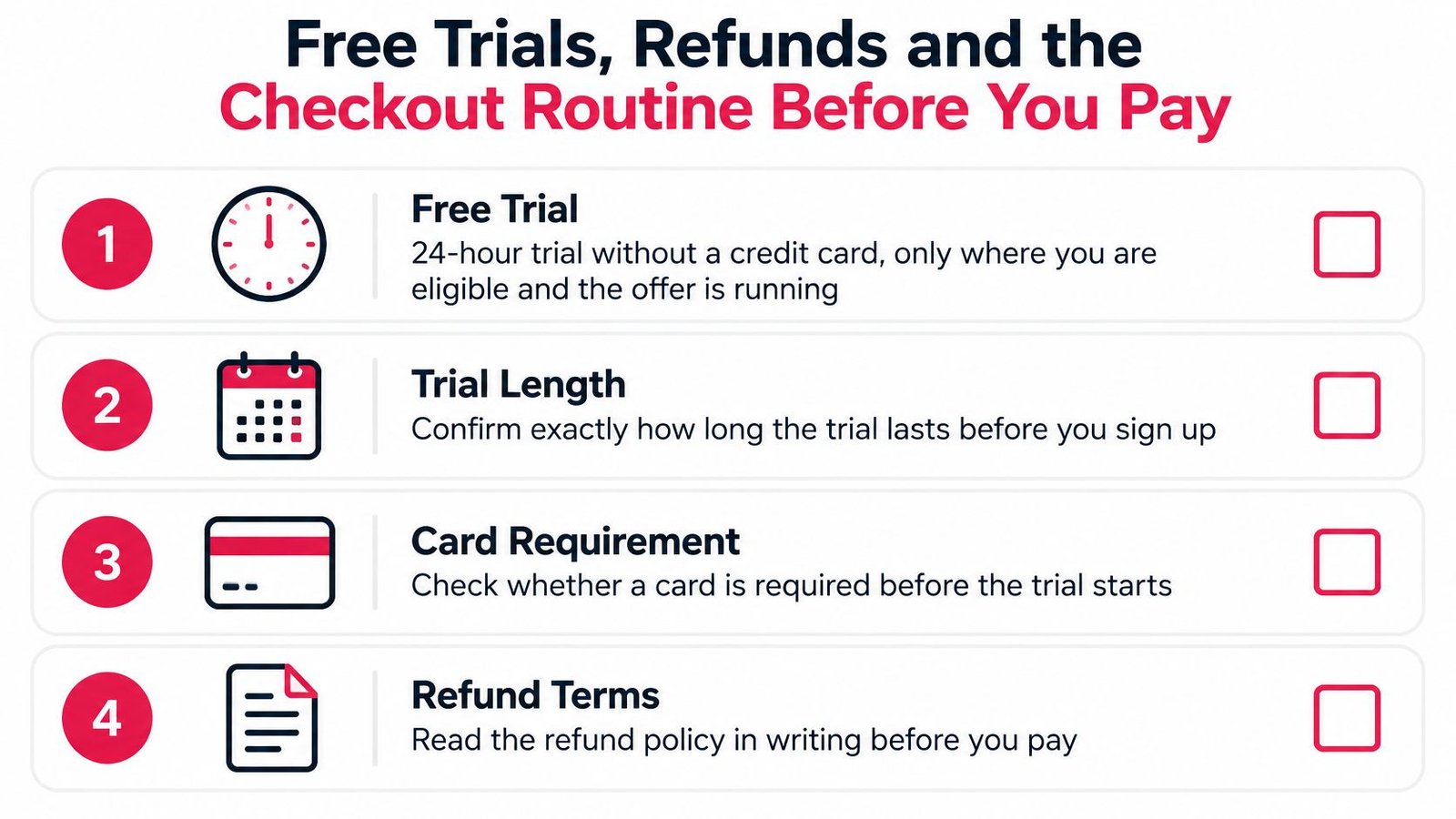
WATCHING FORCES offers a free trial on its website and advertises a 24-hour trial without a credit card, where you're eligible and the offer is running. Confirm the available trial length, card requirement and whether you can test on your own equipment before starting.
The homepage also advertises a seven-day money-back period and states that subscriptions have no contracts or automatic payments. Check when the refund window starts and whether player licences, VIP add-ons or bonus months receive different treatment under the refund-policy explanation.
Keep the trial and purchase conditions together so you can compare what was offered with what you paid for.
Save the terms before submitting payment
The CRA's guidance for non-resident vendors says a subscription seller must indicate whether GST/HST is included or charged separately when the offer is the only document supplied during the sale. Missing tax language is a reason to obtain clarification, not assume the displayed amount is final.
Use this checkout routine:
- Record the offer. Save the package name, advertised CAD price, connection count and billing interval.
- Calculate the monthly equivalent. Divide the total charge by the usable months, keeping the upfront payment visible.
- Resolve tax treatment. Apply the relevant provincial treatment only if the quote excludes tax. Don't add it twice.
- Include outside subscriptions. Retain sports or specialty services you still need.
- Price connectivity changes. Add an internet upgrade only where testing shows it's necessary.
- Inspect checkout. Reconcile the tax statement, selected options and final charge.
- Keep the receipt. Save the invoice, refund conditions and renewal date in writing.
- Test before committing. Where eligible, use the trial on your own connection during normal viewing hours.
Check device fit before activation
Our service supports Smart TVs, Android TV boxes, Amazon Firestick devices, smartphones, tablets, Windows laptops and Mac computers. For Samsung, LG and Google TV equipment, confirm the exact model, operating system and supported player rather than assuming every television uses the same installation method.
Likewise, don't choose IBO, VIVO, BOB or TiviMate solely because another household uses it. Establish whether the player supports your device and supplied login method, and identify any separate licence payment.
The embedded video is an additional viewing resource; use the written setup details supplied with your package for your activation.
Our setup process has five steps: select a channel package, receive login credentials, install an IPTV player, enter activation information and start streaming. Activation is typically completed shortly after subscription, rather than at a guaranteed universal deadline.
During testing, check channel switching, audio language, subtitles and playback on each intended screen. If something fails, note the device model, player, connection method and affected programme so support can investigate a specific problem.
For package fit, simultaneous connections or invoice questions, contact our WhatsApp subscription support. The right buying decision combines the final CAD total, verified sports coverage, usable connection count and written refund conditions, not price alone.
WATCHING FORCES offers IPTV channel packages, multi-device viewing options and an eligible free trial to help Canadian households evaluate their setup before committing. Visit WATCHING FORCES to review current subscription prices, compare your required connections and confirm the final tax-inclusive CAD amount before paying.

No Responses