
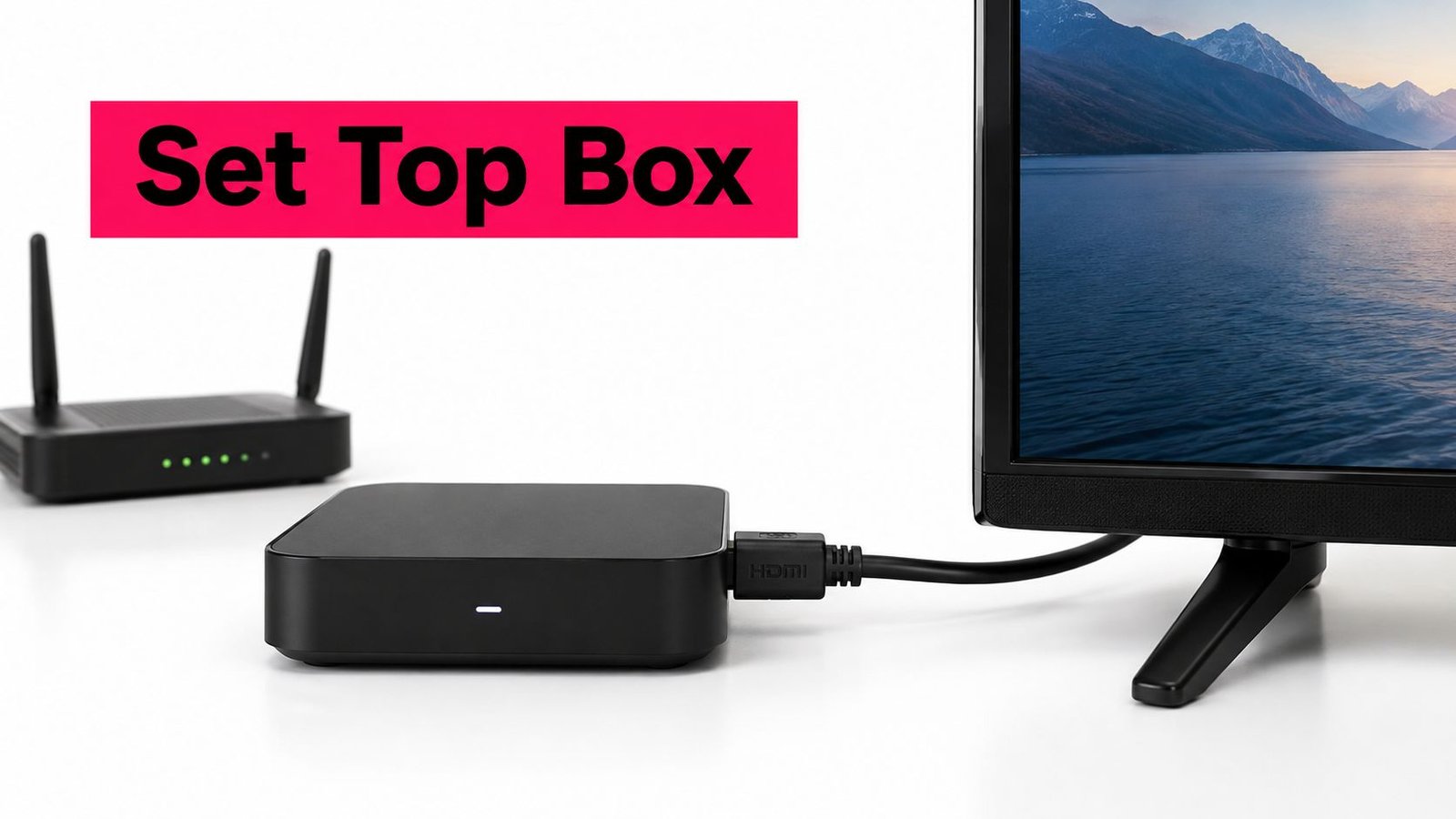
A set-top box is a device that sits between a signal source and a television, decoding content the TV cannot receive or display on its own, whether that source is cable, satellite, over-the-air broadcasting or internet television (IPTV). For internet-delivered viewing, even a capable box needs a suitable connection, with approximately 25 Mbps recommended for 4K streaming.
You might be standing behind your television wondering why there's another remote, an unused cable and an app that won't install. The useful question isn't which box has the longest feature list. It's what your television can't already do, and whether another device will solve that problem without adding unnecessary cost or confusion.
Table of Contents
- What Is a Set-Top Box and How Does It Work
- How a Set-Top Box Connects to Your TV and Internet
- The Main Types of Set-Top Boxes Explained
- Do You Still Need a Set-Top Box in Canada
- What to Check Before Choosing a Set-Top Box
- Using a Set-Top Box with an IPTV Service
- Getting the Most Out of Your Set-Top Box
What Is a Set-Top Box and How Does It Work
The familiar cable box under the television is a good starting point. Your provider sends programming to your home, but the television may not be able to interpret that service directly. The box acts like a translator, turning the incoming signal into pictures and sound the screen can use.
The same general idea applies to an antenna converter or an internet streaming player, although their inputs and software differ. Set top box is an umbrella term, not a promise that every device works with every service.
The jobs inside the box
A receiver typically handles these tasks:
- Receive the source: A tuner accepts a compatible broadcast signal, or a network connection receives internet-delivered programming.
- Decode the programme: The decoder interprets the compressed video and audio, subject to the device's capabilities and any service authentication.
- Send the result to the television: A display output, commonly HDMI on modern equipment, carries the picture and sound.
The remote interface is how you control those jobs. It lets you choose channels, browse apps, adjust playback and open settings without needing to understand what the processor is doing.
Think of the television as the screen and speakers. The box supplies the missing reception, decoding or software capabilities.
That distinction explains a common misunderstanding: buying a receiver doesn't automatically buy programming. Hardware, a player app and permission to access a television service are separate things.
Why converter boxes mattered in Canada
Canada's digital television transition shows why these devices exist. The CRTC selected August 31, 2011, as the conversion deadline for full-power analogue transmitters in mandatory markets, and estimated that roughly 826,000 to 857,500 households might need digital converter boxes to maintain antenna reception on older televisions, according to its digital television transition assessment.
Those households weren't necessarily looking for extra channels or premium features. They needed equipment that could bridge the gap between a newer broadcast signal and an older screen.
Modern internet boxes bridge a different gap. A television may still display an excellent picture but lack the app, processing support or navigation features needed for a particular streaming service.
How a Set-Top Box Connects to Your TV and Internet
A neighbour can plug three black boxes into the same TV and get three different results, because the connector shape only shows where a cable fits. The service still decides whether the box can use it.
Start with the feed that already reaches your home. Cable, satellite, antenna and internet television arrive through different paths, and each path needs a receiver built for that signal.

Follow the source to the screen
For cable, satellite or antenna service, connect that incoming line to the matching input on a receiver made for it. Coaxial fittings can look alike while carrying services a particular box does not support.
For internet television, link the box to the router with Ethernet when a cable run is practical, or join your Wi-Fi network where the box will sit. Then run HDMI from the box output to a free TV input, power up, choose that input with the TV remote and follow the setup screens.
Source feed → compatible box → HDMI → television input.
A blank or “no signal” screen often means the television is listening to the wrong HDMI input. Check input selection and cable seating before reinstalling apps or resetting the box.
Ethernet is the steadier choice for live channels when you can run a cable. It removes the Wi-Fi hop inside your home, though it cannot repair slow internet service or a stream that is weak at the source.
Wi-Fi keeps installation simple when the router is in another room. Test from the TV cabinet, not beside the router, and leave some breathing room around the box instead of trapping it behind a PVR, game console or soundbar.
Match picture quality to household bandwidth
Higher resolutions ask more from a connection, and live sports can expose weak links faster than a paused movie. Instead of chasing one magic number, check the minimum stated by the service you use and compare it with the speed your devices get at the TV location.
A 4K badge never upgrades older material, and it cannot make a 1080p panel show extra detail. If several phones, laptops and TVs share the same evening connection, use this guide to internet speed requirements for IPTV to judge whether the bottleneck is the plan, the Wi-Fi or the stream.
Before paying for faster broadband, try the same channel over Wi-Fi and Ethernet if the box allows both. A clear improvement on Ethernet points to a wireless problem; similar stutter on both usually points farther upstream.
The Main Types of Set-Top Boxes Explained
A household keeping its existing cable package needs a different device from someone connecting an antenna to an older television. An internet-only viewer has another set of choices, including streaming sticks that perform much the same role as larger boxes.
Choose the category before choosing the model. Otherwise, it's easy to buy capable hardware that doesn't accept your signal or run your required app.
Set-Top Box Types Compared for Canadian Households
| Box Type | Signal Source | Typical Connection | Examples | Best For |
|---|---|---|---|---|
| Cable receiver | Compatible cable service | Coaxial input and HDMI output | Provider-supplied cable box | Households retaining cable television |
| Satellite receiver | Compatible satellite service | Dish feed and HDMI output | Provider-supplied satellite receiver | Homes using satellite delivery |
| OTA digital converter | Terrestrial antenna broadcasts | Antenna input and compatible TV output | Digital-to-analogue converter | Older analogue televisions |
| PVR-equipped receiver | Supported television service | Service input, TV output and recording storage | Provider PVR | Viewers who need supported recording |
| Dedicated IPTV box | Internet-delivered television | Ethernet or Wi-Fi and HDMI | MAG and Formuler models | Households using a compatible IPTV service |
| Streaming media player | Internet apps | Wi-Fi or Ethernet where supported, plus HDMI | Android TV boxes, Amazon Fire TV, Apple TV, Chromecast with Google TV and Roku | App-based viewing |
Where each category can disappoint
Cable and satellite receivers are usually selected around the provider's service, not just the television. Don't buy a used unit until the provider confirms that the exact model can be activated on your account.
An OTA converter solves a reception-format problem. It doesn't provide a streaming catalogue, and it can't compensate for an antenna that isn't receiving a usable broadcast signal.
A PVR, or personal video recorder, adds recording functions. Check the service's recording restrictions and what happens to saved programmes when equipment or subscriptions change. A recording button isn't a promise that you can export files or keep them indefinitely.
Dedicated IPTV boxes, including MAG and Formuler models, can suit viewers who mainly want a compatible live-channel interface. Their limitation is service and software matching: a device name alone doesn't confirm that your provider supports its particular model or setup method.
Streaming players offer a broader app-centred approach. Amazon Fire TV, Apple TV, Roku and devices using Android TV or Google TV have different app environments, so confirm availability before purchase rather than assuming an app exists everywhere.
A streaming stick still counts as external hardware
A stick plugs into the television rather than sitting visibly underneath it. That smaller shape doesn't remove the need to check power, networking, remote usability and software compatibility.
For someone who mainly opens a few streaming apps, compact hardware may be enough. Someone who frequently changes live channels may place greater value on a dedicated remote and a programme guide they can comfortably read.
Do You Still Need a Set-Top Box in Canada
Not necessarily. If your smart television already runs your required services reliably and everyone can use it, another box may add little value.
Canadian households don't all follow the same viewing pattern. The CRTC reports that 33% of households subscribed only to streaming services in 2025, while 44% subscribed to both traditional television and online audiovisual services; it also reports that 82% of Canadians live in a home with a smart TV or streaming device, alongside 97.3% household availability of broadband at 50/10 Mbps, in its Canadian broadcasting and connectivity monitoring.
The distinction matters: broadband availability describes access to infrastructure, not the strength of the Wi-Fi signal behind your television.
This household-viewing illustration highlights why there isn't a universal answer.

Choose the setup that removes a real obstacle
| Household situation | Sensible starting point | What to verify |
|---|---|---|
| Your smart TV already has the apps you need | Keep the smart-TV-only setup | App support, navigation and accessibility |
| Your television works well but lacks a required app | Consider a dedicated streaming player | Exact device and app compatibility |
| You want live channels alongside on-demand viewing | Compare a supported IPTV setup with your existing service | Channel rights, guide usability and household connections |
A light viewer may prefer the simplicity of keeping everything on the television. A multilingual household should check its specific language services, rather than buying hardware based on a general international-content claim.
For sports, compare the actual viewing experience, including playback delay and ease of returning to live coverage. An expensive box can't make differently delivered streams arrive at exactly the same moment.
Buying rule: Add hardware to solve an identified limitation, not because a sales page says your television needs an upgrade.
Compare the whole household cost
Include equipment, subscriptions, player licences where required and any broadband change. Check whether the amount shown includes applicable taxes and whether separate household viewing requires a different plan.
If you'd rather avoid another device, this guide to using an IPTV subscription on a smart TV provides a useful starting point for checking the app-based route.
What to Check Before Choosing a Set-Top Box
The best buying test is practical: can the device deliver your chosen service, on your television, using controls your household can operate? A processor name is much less useful than a clear answer to that question.
Use the exact model number when checking compatibility. Product families can contain different hardware and software versions.
Check the everyday essentials
- Ports and output: Confirm the TV's available inputs, the box's outputs and the HDMI capabilities required for your intended picture format. Don't assume an adapter will preserve every feature.
- Video and audio support: Check compatibility across the service, player, box and television for 4K, HDR and any required audio format.
- Networking: Look for an Ethernet port if wired playback matters to you. If using Wi-Fi, test the intended location.
- Remote controls: Try channel entry, back navigation, volume and guide access. Small buttons or complicated menus can matter more than headline specifications.
- Apps and maintenance: Confirm the required app is available and that the manufacturer provides a clear software-update process.
Consider power use and recording needs
Recording hardware can change the energy calculation. The Canadian Energy Efficiency Voluntary Agreement reported 2019 weighted-average Typical Energy Consumption of 44.4 kWh/year for non-PVR receivers and 127.8 kWh/year for PVR models, according to its set-top-box energy benchmarking report.
That's a reason to question recording hardware you won't use, not to assume every streaming box has identical consumption. Natural Resources Canada reports that certified models use up to 25% less energy on average than standard models on its ENERGY STAR set-top-box guidance page.
Ask about active, sleep and networked-standby behaviour rather than relying on a vague “low power” label.
Test accessibility across the whole setup
The CRTC identifies closed captioning and described video or audio description as accessibility measures in its broadcasting accessibility material. Their availability doesn't necessarily make every menu or playback experience easy to use.
Test English and French programming separately. Check whether captions come from the programme source or are generated by the player, whether they remain synchronised, and where the controls live.
Ask the person who will use these features to try the remote, screen-reader navigation and described audio where available. Recheck that settings persist after restarting the app or updating the device.
Using a Set-Top Box with an IPTV Service
Suppose someone wants live sports in the living room while another household member watches a French-language programme elsewhere. The hardware question is only part of that arrangement: the service must also permit the intended simultaneous viewing and support both devices.
An IPTV setup receives television through the internet. Depending on the service, access may use a dedicated receiver, an app on existing equipment or a supported player that requires account details.
The service homepage is a starting point for reviewing advertised compatibility and subscription terms.

Separate the device, player and subscription
A compatible box doesn't establish that a particular channel is authorised for distribution. Before subscribing, ask about Canadian viewing rights, regional restrictions and the specific sports or language programming you intend to watch.
Also distinguish a player licence from a television subscription. Paying for player software doesn't necessarily provide programming, and a television package doesn't automatically include access to unrelated third-party streaming platforms.
For Android hardware, use the Android box IPTV installation guide as a setup reference, while confirming that its instructions match your model and supported app.
The accompanying video provides another setup reference to assess against your equipment.
Confirm the offer before committing
Ask support to verify compatibility for your exact Smart TV, Android box, Firestick, MAG, Formuler, Chromecast, Apple TV, Roku, phone, tablet or laptop. A general device list shouldn't replace confirmation of the required app and operating-system version.
Request a written summary of simultaneous connections, current CAD pricing, applicable taxes, contract terms and any separate player charges. Treat advertised picture-quality options as conditional on the programme, equipment and connection, not a universal performance promise.
If a trial is currently offered and you're eligible, use it during your normal viewing routine. Check your actual channels, remote navigation, accessibility settings and shared household connection before choosing a longer subscription.
Getting the Most Out of Your Set-Top Box
The right receiver fits your signals, screens and simultaneous viewers. Buying the most elaborate model won't help if its apps, controls or service requirements don't match your household.
Keep these situation-matched takeaways in mind:
- Keeping an older TV: Choose a box with compatible outputs and service support, rather than replacing a working screen automatically.
- Watching live sports: Prefer a practical wired setup and assess real playback behaviour before committing.
- Working with limited connectivity: Match viewing quality to the connection you can reliably use, not the resolution printed on the packaging.
- Never recording programmes: Don't pay for PVR complexity without a reason.
- Relying on accessibility features: Test the complete viewing route with the person who will use it.
Troubleshoot before replacing
For a blank screen, check power, HDMI seating and the selected television input. If the menus work but programmes don't, check the app's account status and whether other supported content plays.
For buffering, compare another app or device, pause competing household activity temporarily and test a wired connection where possible. Change one thing at a time so you can identify what helped.
Plan for the device's eventual replacement
Statistics Canada reported that 5% of Canadian households had unwanted set-top boxes awaiting disposal in 2023, in its household electronic-waste overview. Before storing an old receiver indefinitely, establish whether it belongs to a provider and follow its return instructions.
For equipment you own, remove personal accounts and follow the manufacturer's reset guidance before arranging appropriate electronics recycling.
WATCHING FORCES offers internet-delivered television subscriptions, device setup resources and customer assistance for households considering an IPTV setup. Visit WATCHING FORCES to check current compatibility, CAD subscription terms and trial availability, or contact the support team on WhatsApp with your television model, internet setup and viewing needs before choosing a box.

No Responses