

Choosing between Firestick IPTV apps in Canada can feel harder than it should. You want live television and on-demand viewing on the TV, but the Amazon app store, provider logins and sideloading instructions can make it unclear what to install or what you're paying for.
The key distinction is that an IPTV player such as TiviMate or IPTV Smarters Pro organizes a compatible service's playlist or login. It doesn't supply channels or a subscription. A content service, such as CBC Gem or Bell Fibe TV, supplies its own programming under its own access terms. This guide separates those categories, then compares what each option does well, its limits, Fire TV availability considerations and safer ways to install it.
The picks suit different Canadian households, from viewers who already have an authorized IPTV subscription to Bell or TELUS customers who want to watch on another screen. Before installing anything, confirm the exact Fire TV model supports the app, check whether it's available through an official store, and verify the provider's rights to distribute its content. A working app alone doesn't establish that a service is legitimate.
Table of Contents
- 1. IPTV for Firestick Canada
- 2. TiviMate IPTV Player
- 3. IPTV Smarters Pro
- 4. Televizo
- 5. VLC
- 6. Plex
- 7. RiverTV
- 8. Bell Fibe TV app
- 9. TELUS TV+
- 10. CBC Gem
- Top 10 Firestick IPTV Apps: Feature Comparison
- Matching the App to How You Watch
1. IPTV for Firestick Canada
WATCHING FORCES is a Canadian-focused IPTV service for viewers who want live television and on-demand programming on a compatible Firestick. Its website advertises Canadian and international channels, sports, movies and on-demand content, with subscription options for households that need more than one simultaneous connection. The service also advertises a 24-hour trial without requiring a credit card, giving new users a chance to check suitability before choosing a subscription.
That distinction matters: this is a service, not just a player waiting for a playlist. The service provides the content access, while a compatible Fire TV app provides the playback interface. Before subscribing, ask which player to use, how to install it on your particular Firestick, and whether the channels and programmes you care about are included.
What to check before subscribing
The service offers setup guidance and customer assistance for installation or account questions. Its subscription options include one to five connections, which may suit households where different viewers use separate screens. Actual viewing quality still depends on the connection, device compatibility and the stream itself.
- Good fit: Viewers seeking one subscription for live TV, sports, movies and on-demand viewing.
- Potential limitation: Exact package prices, channel listings and Firestick setup steps aren't confirmed in the supplied service details, so verify them directly before paying.
- Rights check: Ask who provides the service and whether it's authorized to distribute the channels and events advertised.
For a practical walkthrough, use the Canadian Firestick setup guide, then contact support if a step doesn't match your device. You can also review the WATCHING FORCES Firestick IPTV option and confirm current trial and package terms before deciding.

2. TiviMate IPTV Player
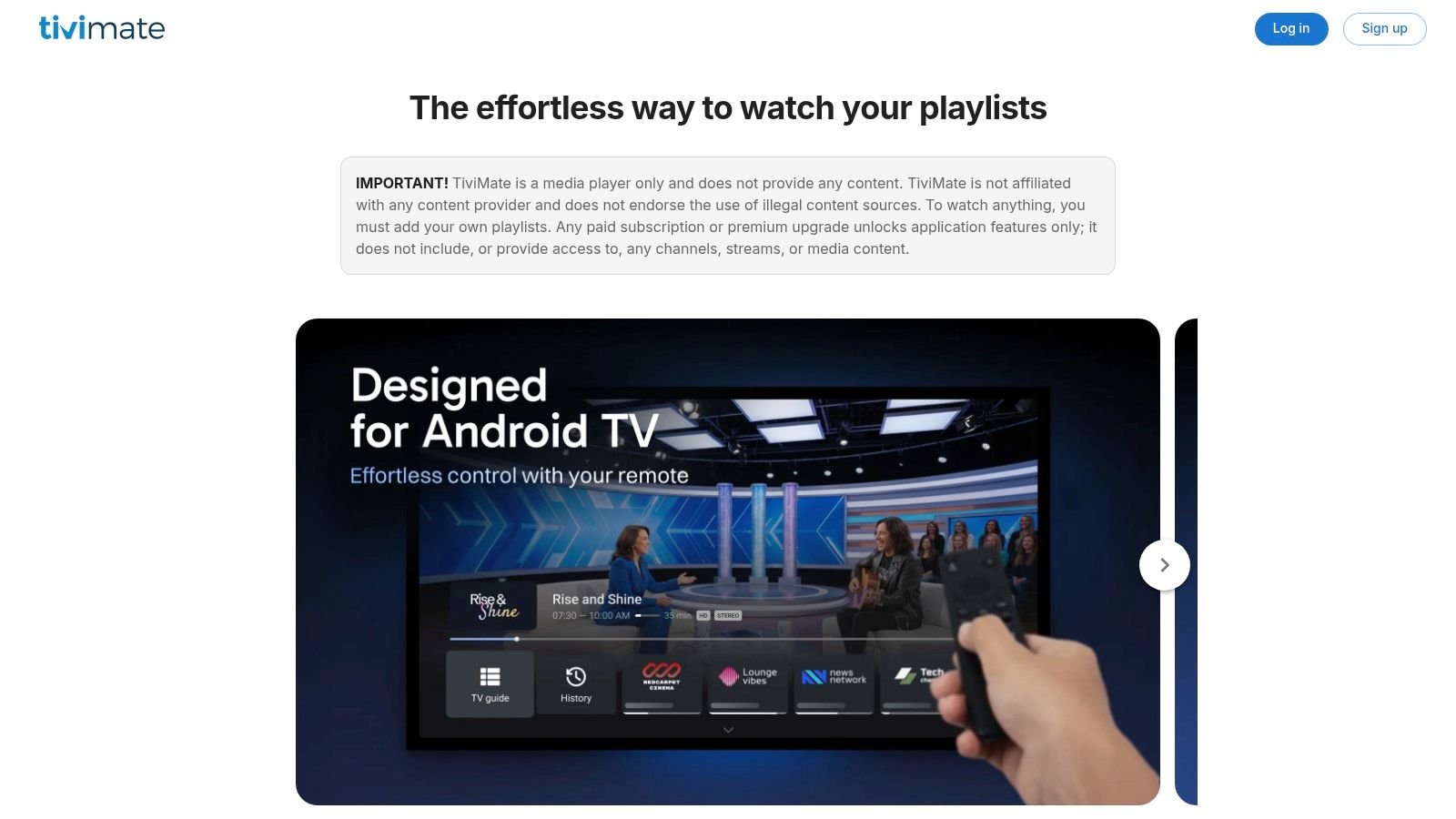
TiviMate is built for the living-room experience. Its interface centres on live-channel browsing and guide information, so it's a natural option for viewers who already have a compatible, authorized IPTV service and want a more television-style way to browse that service.
TiviMate is a player, not a TV provider. You'll need a service that supplies a compatible playlist or login, and you should confirm the provider is authorized to distribute its streams. The app's features can include playlist support, channel organization, an electronic programme guide (EPG) and premium features through an in-app purchase. Check the official TiviMate site for current details.
Where it fits
The remote-friendly, channel-focused approach is useful when you want to browse a live lineup rather than open a separate provider app for every programme. The trade-off is that the quality of the guide and channel categories depends on what the service supplies and how accurately it maintains that information.
Practical rule: Choose the service first, confirm it supports TiviMate, then check whether TiviMate can be installed on your specific Fire TV model.
Fire TV availability can change, so don't assume that an app listed for another Android device is automatically available through the Canadian Amazon Appstore. Avoid unofficial download pages that don't clearly identify the app publisher. For a closer look at the role of player apps, see this IPTV player comparison.

3. IPTV Smarters Pro
IPTV Smarters Pro is a client app for viewers whose provider supports it. Depending on the provider's setup, the app can present live television and video-on-demand sections in one interface, making it easier to move between supplied categories without treating the player itself as the source of content.
That separation is important. IPTV Smarters Pro doesn't include channels, films or a subscription, and using it doesn't confirm that a service has the rights to offer its programming. Get login details only from a provider you've checked, and avoid entering credentials into an app downloaded from an unverified source.
Provider compatibility comes first
The app's practical advantage is that it can bring compatible provider-supplied sections into a single playback interface. It makes most sense when your service explicitly supports the app and gives you the right login information. The limitations are equally clear: service support, Fire TV installation availability and the supplied content all depend on the provider and app distribution.
Before installing, confirm that the app works with your Firestick and that the service supports the relevant login method. If an installation guide tells you to sideload an app, make sure the download comes from a verified publisher or official source, not a copied APK hosted on an unrelated site. The Firestick IPTV Smarters Pro installation guide can help with setup, but it can't verify a third-party provider's licensing.
You can check the app's own information at the IPTV Smarters website. Don't mistake a familiar interface or a successful login for proof that the content is authorized for Canadian viewers.
4. Televizo
Televizo is another player for viewers who already have a compatible playlist or provider account. It can organize supplied channels into categories and display guide information when the playlist or service includes it. Its customization and player settings can help you shape the viewing interface around your own habits.
The essential limitation is simple: Televizo isn't a channel service and doesn't include a subscription. You must bring a lawful source of programming and the required provider details. If a playlist has missing channel names, poor categorization or incomplete guide data, changing the player won't necessarily repair information that the service hasn't supplied.
Check the Fire TV version and terms
A configurable interface is useful, but the setup depends on the quality of the playlist and the compatibility of the exact Fire TV device. Don't assume that an Android phone listing or a successful installation on a different streaming box means the same app is available for your Firestick.
Check the official Televizo site for current compatibility, installation options, pricing and which features are free or paid. If the app isn't in the Canadian Amazon Appstore, verify the download source before sideloading. A player's ability to load a playlist says nothing about whether the provider has distribution rights.
5. VLC
VLC is a general-purpose media player, not a cable-style IPTV service. On a Fire TV device, it can be useful for playing local media and compatible network streams, and it isn't tied to one television provider. That makes it a practical utility for people who want to do more than browse live channels.
The trade-off is in the interface. VLC supports many file and stream formats, but it isn't as specifically designed for live-TV browsing, guide navigation or IPTV playlist management as a dedicated player. It also supplies no channel lineup or subscription.

A flexible player with a different job
VLC's open-source project and broad playback role may appeal if you also play your own media files. For someone who wants a polished live-TV guide and remote-led channel browsing, a dedicated IPTV client may be more comfortable. Choose VLC for flexibility, not because you expect it to turn into a television subscription.
Before installing it on Fire TV, check its availability through an official source for your specific device. The VLC website provides the project's official information. Don't download an APK from an unknown mirror just because a search result promises a quick IPTV setup.
6. Plex
Plex combines a personal media library with streaming options that can include ad-supported programming. On Fire TV, it gives viewers one place to organize their own media and access the features available to them through Plex. It's a useful complement to a household's other apps, rather than a direct substitute for a paid Canadian TV package.
Plex's strength is its variety of uses. You can manage personal media and explore available streaming features without making it your only source of entertainment. Some options may depend on Plex Pass or additional hardware, so check the requirements for the feature you want rather than assuming the basic app includes everything.
Know what the free lineup can't promise
The available free live-channel selection may not include the Canadian channels, regional programming or sports a household expects. That's the main trade-off for viewers comparing Plex with a provider subscription: Plex can add viewing options, but it may not meet a specific channel checklist.

Use the Plex website to review current app features and account requirements. On Fire TV, confirm that the features you plan to use are supported, and separate Plex's own streaming options from any personal media or other services you access through the app. Plex doesn't automatically include subscriptions to unrelated platforms.
7. RiverTV
RiverTV is a Canadian internet-delivered television service, not a standalone playlist player. It offers live channels and on-demand viewing, with features such as pausing or resuming and restarting selected live programmes. The service also lists optional add-on packs, which may help if its core lineup doesn't cover every household preference.
The advantage is a service designed around Canadian viewing, with Fire TV listed among its compatible devices. It's aimed at people who want internet-delivered television without a cable box, rather than IPTV users who want to bring their own playlist into a player.
Compare the lineup, not just the app
RiverTV's channel package is narrower than a large cable bundle, so check the current lineup against the channels you watch. Add-ons may have separate restrictions or charges, and the website's price and trial terms can change. Review the current terms on the RiverTV website before signing up.
A content service and a player solve different problems. RiverTV supplies its own programming under its service terms; a general IPTV player organizes a playlist supplied by another provider. If your priority is a straightforward app with a defined Canadian lineup, RiverTV may be a better fit than configuring a separate player, provided its channels and terms suit your household.
8. Bell Fibe TV app
The Bell Fibe TV app extends Bell television access to supported devices, including Fire TV. Eligible Bell customers can use it to watch live and on-demand programming, search for content, and pause or rewind live TV. It's a provider app, not a general-purpose player for importing an unrelated IPTV playlist.
That makes it most relevant to households already paying for eligible Bell TV service. Channel access depends on the customer's plan and location, so installing the app doesn't automatically provide a full lineup. Bell also states that app-only access requires unlimited Bell Internet, which is a condition to check against your own package.
Best for existing Bell customers
The app may be convenient when you want to watch Bell programming on another screen without treating that screen as a new, independent TV subscription. Before relying on it, check which channels and features your account includes and whether your Fire TV model is supported.
Bell describes the app's current requirements and features on its Fibe TV app page. If you don't have an eligible Bell account, this isn't a general free live-TV app. It also won't load playlists from a separate IPTV provider.
9. TELUS TV+
TELUS TV+ gives eligible TELUS customers access to included live channels and on-demand programming on supported devices, including Fire TV. It uses account-based access and extends a TELUS TV service beyond the main set-top box. That makes it a sensible option for an existing TELUS household, not a standalone IPTV player for arbitrary playlists.
The channel lineup depends on the customer's plan. Check your package and eligibility with TELUS before installing the app or expecting a particular channel to appear. App access is not a promise that every programme or feature in a broader television package is available on every device.

An extension of a TELUS package
TELUS TV+ is useful when the subscription is already in place and you want to watch on a compatible streaming device. If you're comparing providers from scratch, review package terms and pricing with TELUS rather than assuming the app itself includes a separate channel bundle.
Use the TELUS TV+ viewing information to check supported devices and access details. Like Bell Fibe TV, it's a provider-specific app. It won't replace a general IPTV player if your goal is to organize a separate authorized service's playlist.
10. CBC Gem
CBC Gem is a streaming service from Canada's public broadcaster, with Canadian shows, films and selected live programming. It's a content app, not a general IPTV player, so you don't need to supply it with a separate playlist. For viewers who want CBC programming on a Firestick, it can complement a broader live-TV or streaming setup.
CBC Gem offers free and paid access options, but it doesn't provide a broad cable-style channel lineup. Some content or features may require a paid plan, and availability can vary. Check the current service terms before assuming a specific programme or feature is included.
A useful complement, not a replacement
A public broadcaster's streaming app can help fill a household's interest in Canadian productions without taking the place of sports, specialty channels or a broader live-TV service. That role is different from TiviMate or IPTV Smarters Pro, which organize content supplied by another provider.

Find the current app and access details on the CBC Gem website. Confirm Fire TV availability in the Canadian app store for your device, and remember that access to CBC Gem doesn't mean other paid streaming platforms are included.
Top 10 Firestick IPTV Apps: Feature Comparison
| Service or App | Core Features | Fire TV Fit & Experience | Price / Value | Best For |
|---|---|---|---|---|
| IPTV for Firestick Canada (WATCHING FORCES) | Canadian and international live TV, sports, movies, and VOD; 1–5 connections | ★ Firestick-focused; setup help and 24-hour trial advertised. Specific package details aren't provided | 💰 Prices not specified here; trial advertised without a credit card | 👥 Viewers seeking broad programming and household multi-screen viewing |
| TiviMate IPTV Player | Playlist support, channel organization, electronic program guide | ★ TV-style interface; confirm Firestick compatibility and installation | 💰 Premium features via in-app purchase; requires a separate service | 👥 Users with a compatible IPTV subscription |
| IPTV Smarters Pro | Plays compatible provider logins; live TV and VOD sections when supplied | ✨ Combines provider-supplied content in one interface; Fire TV availability may vary | 💰 App pricing not specified; content subscription is separate | 👥 Users whose provider supports the app |
| Televizo | Playlist playback, categories, guide data, customization | ★ Dedicated TV-viewing interface; check Fire TV compatibility | 💰 Free and paid features; check current pricing; no channels included | 👥 Users wanting to organize a compatible playlist |
| VLC | General media playback, local files, and compatible streams | ★ Flexible player, but less tailored to live-TV browsing; check Fire TV availability | 💰 Free and open source | 👥 Viewers who want a general-purpose media player |
| Plex | Personal media library and free, ad-supported streaming options | ✨ Combines personal media and streaming; some features may need hardware or Plex Pass | 💰 Some access is free; optional paid features | 👥 Viewers managing personal media alongside streaming |
| RiverTV | 25+ live channels, VOD, pause/resume, selected program restart, add-ons | ★ Canadian service; Fire TV listed as compatible | 💰 Monthly price and trial listed on its site; terms may change | 👥 Canadians seeking a smaller cable alternative |
| Bell Fibe TV app | Live TV, VOD, pause/rewind, search | ★ Fire TV support; requires eligible Bell TV service or package | 💰 Cost depends on Bell plan and eligibility | 👥 Existing Bell TV customers |
| TELUS TV+ | Live channels and VOD tied to a TELUS account | ★ Fire TV support listed; channel access depends on plan | 💰 Package pricing and eligibility vary | 👥 Existing TELUS TV customers |
| CBC Gem | CBC shows, films, selected live streams; free and paid access | ★ Canadian programming; not a broad cable-style lineup | 💰 Free tier; some content or features may require a paid plan | 👥 Viewers focused on Canadian public-broadcaster content |
Matching the App to How You Watch
Start with the kind of access you need. If you already have a compatible, authorized IPTV subscription, a player such as TiviMate or IPTV Smarters Pro can organize the service's channels and guide data. Neither app supplies programming on its own. Ask your provider which player and login method it supports, and verify the provider's content rights before sharing account or payment information.
If you already subscribe to Bell or TELUS television, their Fire TV apps may extend the programming included in your existing package to another screen. Check your account's eligibility, channel access and internet requirements first. For Canadian programming that doesn't need a broad cable-style lineup, CBC Gem can work as a free or paid complement, depending on the content and plan you want.
For a more general media library or ad-supported viewing options, consider Plex. VLC is a flexible media player, but it isn't built to supply a TV lineup. RiverTV is different again: it's a Canadian live-TV and on-demand service with its own lineup and terms. These distinctions matter more than a label such as “IPTV app,” because a playlist player, broadcaster app and paid content provider don't provide the same thing.
Install carefully and assess the service
Use the official app store whenever the app is available for your Fire TV model. If an app must be sideloaded, verify the publisher and download source before installing it, and don't treat sideloading as evidence that a service is licensed. Confirm the provider's identity, terms, support contact and authorization to offer the channels or events it advertises.
Also check that your chosen service supports the player and that the app itself is available for your Fire TV device in Canada. Amazon notes that app availability can vary by location and language, and that separate subscriptions may be required. A Firestick is a playback device; it doesn't grant content rights.
For WATCHING FORCES, review the current service details and use the advertised 24-hour trial to assess compatibility and suitability before choosing a package. If you need help with setup or subscription questions, the site offers information and customer support. Confirm current terms directly, since package details, app availability and lineup information can change.
Frequently asked questions
Do I need an M3U playlist or Xtream Codes login?
It depends on the player and your provider. Ask the provider which login method it supports, then choose a compatible player. A playlist or login should come from an authorized service.
Is sideloading an IPTV app safe?
It depends on the source and the app. Prefer the official store or a verified publisher download, review requested permissions, and avoid APKs from unknown sites. Sideloading makes installation possible; it doesn't confirm the app or service is legitimate.
Why isn't the EPG showing programme information?
The player can only display guide information it receives and can read. Check that your provider supplies EPG data, that it's configured correctly in the player, and that the relevant channel names match.
What should I check if a Firestick stream keeps buffering?
First test whether the issue affects one app or several. Check the connection near the television, restart the Firestick and router, and pause other bandwidth-heavy activity. A wired adapter or stronger Wi-Fi signal may help, but playback also depends on the source stream and provider.
Is IPTV legal in Canada?
IPTV is a way of delivering television over the internet. The important question is whether the provider is authorized to distribute the channels, films and events it offers. A working app, low price or large channel list doesn't prove that it has the required rights.
WATCHING FORCES offers subscription-based internet television with live channels, sports, movies and on-demand programming, along with Firestick setup information and customer assistance. If you're comparing a provider-backed service with standalone player apps, visit WATCHING FORCES to review current options and check whether the advertised 24-hour trial suits your setup.

No Responses