
Three tabs sit open on the laptop: a plan page, a channel list, and a forum thread from two years ago. Hockey starts in twenty minutes. A series waits on a phone down the hall. The household rule is simple. Do not spend more on television than last year.
An abonnement pour IPTV is a subscription for live channels and on-demand video over your internet connection, not a cable or satellite box. Count the fee as one line beside home internet and the apps you still keep. The connection works like a shared pipe, and the plan pays off only when that pipe can carry the streams the house runs at the same time.
Write the household total before you choose a term. Replacing a larger TV bill can lower it. Stacking the fee on apps you will not cancel raises it, even when the IPTV price looks modest.
Then check what a term really costs, how many streams the network can carry, and a test you can run over a few evenings before you pay for anything longer than a month.
Table of Contents
- Why Your Household Decides the Right IPTV Plan
- Plan Length and What It Really Costs
- Matching Channels and On-Demand Content to Your Viewing
- Simultaneous Connections and Bandwidth Math
- Checking Device and Player Compatibility
- How to Test Stream Quality Before You Commit
- Confirm Terms and Pick Your Plan Today
- Frequently Asked Questions About IPTV Subscriptions
Why Your Household Decides the Right IPTV Plan
The right plan is the one that matches three things: how many people watch at once, what they watch, and which screens they watch on. Price and channel count matter, but they sit downstream of those answers. A cheap plan that stalls during the third period of a Saturday game isn't cheap.
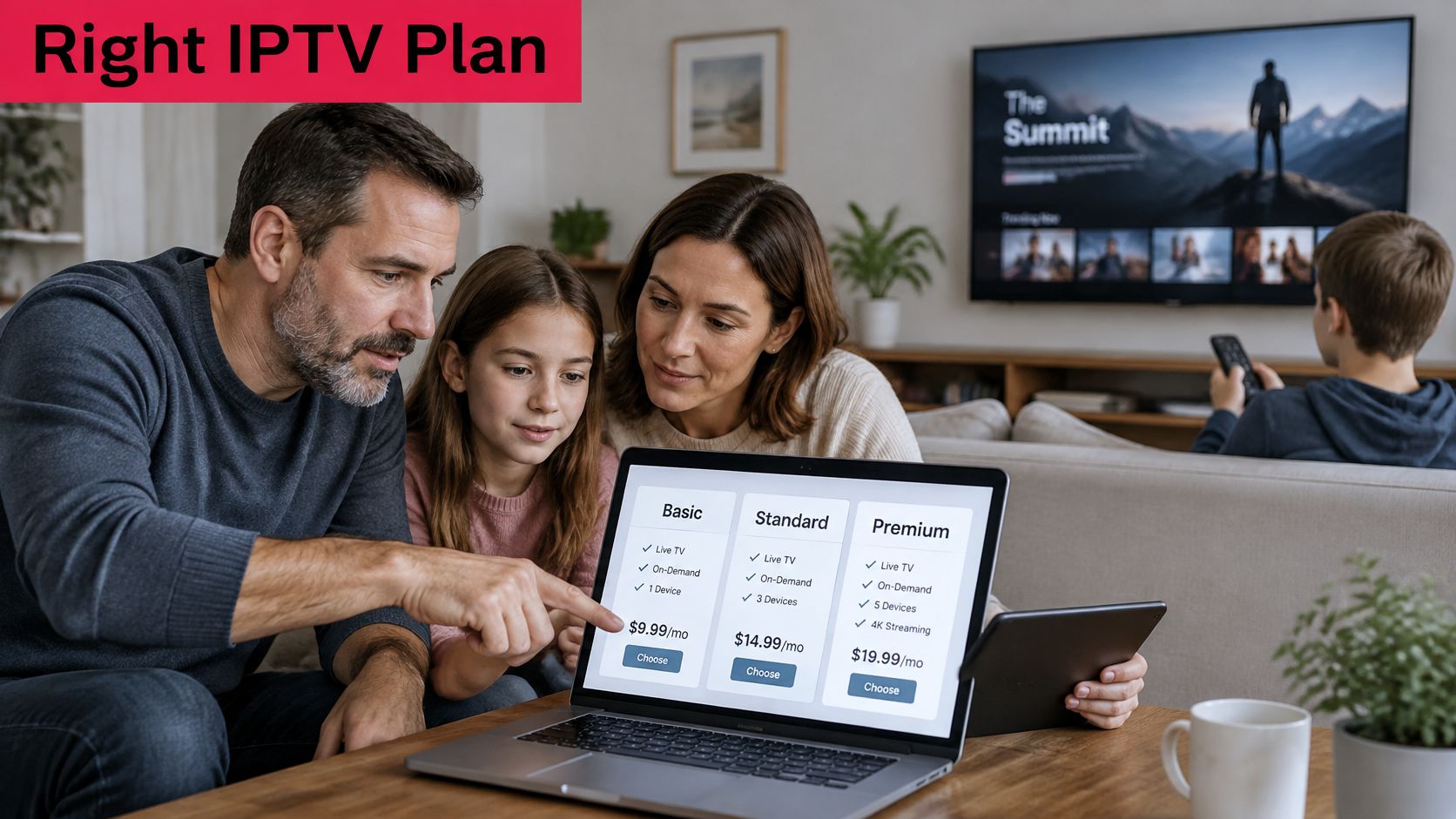
The CRTC defines IPTV as television delivered through Internet Protocol networks, including services such as Bell Fibe and Telus Optik TV, and keeps internet-based video services such as Netflix, Crave and Club illico in a separate category (Statista's summary of Canadian TV and video viewing). That distinction matters when you compare offers, because not every pitch using the word IPTV in Canada is selling the same thing.
Consider a family of four in Montreal with a living-room television, a Firestick in the bedroom and a tablet that moves around the house. They buy a five-connection plan because five sounds safer than two. Most evenings, three screens are the ceiling, and the two spare connections do nothing for the stutter that hits when everyone is home after eight o'clock. The plan wasn't bad. It was mismatched, and the mismatch showed up as buffering rather than as a billing error.
Five decisions settle most of this, in this order: plan length and total cost, channel and on-demand fit, simultaneous connections and bandwidth, device and player compatibility, and a quality test before you commit. If you already know your household numbers, you can compare current IPTV subscription plans at WATCHING FORCES now. If you don't, work through the order below first.
Plan Length and What It Really Costs
Length is the first lever, and the easiest one to get wrong. Longer terms usually lower the effective monthly price, but they only pay off if the service still performs in month nine.
| Plan length | Commitment | Best for | Main trade-off |
|---|---|---|---|
| Monthly | Month to month | Testing the service and short stays | Highest cost per month |
| 3 months | Short commitment | Seasonal viewing, such as a hockey or football season | Shorter window to recover setup time |
| 6 months | Medium commitment | Households that have already passed a quality test | Less flexibility if viewing habits change |
| 12 months | Annual commitment | Households that have tested across several months | Largest upfront payment and the longest lock-in |
A subscription term works like a lease on an apartment. The landlord offers a lower monthly rent on a year-long lease because you are giving up the right to leave, and a monthly plan costs more per month for the same reason: you are buying an exit at any time. A longer term trades that exit for a lower rate. The trade only works in your favour if the stream you tested in week one still behaves in week twenty.
One year is a long time to be wrong about a service.
That's why the sensible sequence is monthly first, longer term second. Run the quality test later in this guide, watch a live event on a busy evening, and only then move to a six or twelve month commitment. Buying a year to save a few dollars a month, on a service you've never watched, is how people end up paying for a subscription they've stopped using.
The check that matters: a longer plan is only cheaper if you finish it on a service that still works in month nine.
What the Sticker Price Leaves Out
The number on the plan page is one line in your household's entertainment bill, not the whole bill. Before you compare it to what you pay now, add these:
- Applicable taxes, where they aren't already folded into the displayed price.
- Extra connections, if your household needs more than the base plan allows.
- Any internet upgrade, if your line struggles with several simultaneous streams.
- Hardware, such as a streaming stick, an Android box or a network cable long enough to reach the main television.
- Services you keep, including cable, satellite or the streaming platforms you aren't willing to cancel.
That last line is the one people forget. An IPTV plan added on top of a full cable package and three streaming subscriptions is an expense, not a saving, no matter how low the monthly rate looks on the checkout page.
Canada's households spent CAD 11.3 billion on cable, satellite and other program distribution services, including streaming services, in 2024, according to Statistics Canada. That's a large recurring line, which is exactly why comparing carefully matters more than comparing quickly.
Price sensitivity also isn't a niche concern. The CRTC's January 2025 consumer tracker found that 47% of Canadians thought television services and 46% thought streaming-video subscriptions had become less affordable over the previous year. If you're weighing an abonnement pour IPTV against what you already pay, you're in the majority, not on the fringe.
Run the Numbers for Your Own Home
Say a household pays about $75 a month for cable and $16 each for two streaming services. That's $107. A $30 IPTV plan that replaces the cable package brings the total to $62, a real saving of $45. The same $30 plan added on top of everything, "just in case," pushes the total to $137. Identical plan, opposite outcome. The plan didn't change; what it sat next to in the budget did.
For a side-by-side view of what internet-delivered television costs against the cable packages it typically replaces, live TV pricing from HearSmart lays out the categories in one place.
Then fill in three columns for your own home before you decide:
| Current monthly spending | New IPTV total | Net difference |
|---|---|---|
| Cable or satellite + streaming services + hardware spread over the term | Plan + extra connections + tax + any internet or hardware cost | The monthly figure you actually save or add |
Two outcomes are both useful. A large positive difference tells you the plan earns its place in the budget on savings alone. A small difference tells you the plan has to justify itself another way, through flexibility, channel range or a specific sport you're missing, and you should judge it on that basis rather than on price. Either way, the honest number is the one that counts everything you're still paying for.
Matching Channels and On-Demand Content to Your Viewing
A headline count of thousands of channels tells you almost nothing. What matters is whether the categories your household watches are covered by name. Start by writing down your real viewing habits rather than an aspirational list.
News and local coverage: Canadian national and local news, plus US and international news if your household follows them. Language: French, English, Arabic, UK or German programming, depending on who's watching. Kids and family: channels that keep a younger viewer occupied without supervision. Movies and series: an on-demand library you'd browse. Live sports: the leagues you follow, confirmed rather than assumed.
The CRTC reports that households consuming content exclusively through streaming platforms rose from 29% in 2024 to 33% in 2025, but 44% reported subscribing to both traditional television and online audiovisual services, and broadcasting-distribution undertakings reached a 58% penetration rate in 2025 (CRTC communications monitoring report). Most Canadian homes are mixing sources, not replacing one with the other. So the useful question isn't only "does this replace cable" but "does this add the international, sports or on-demand content we're missing."
Then work through a short checklist before paying:
- Name ten must-have channels or shows and confirm each one appears in the provider's published list.
- Check the on-demand catalogue for the specific series you follow, not just the genre.
- Confirm language options if more than one language matters at home, including audio tracks and subtitles.
- Ask about live sports in writing, because broadcast rights vary by league and region and should never be assumed from a channel name.
Two practical cautions. Electronic program guide listings can drift from actual broadcast times because of schedule changes and time zones, so treat the guide as a guide rather than a timetable. And if you want a preview of how on-demand catalogues are usually organised, this breakdown of an IPTV VOD library in Canada shows what to look for beyond the film count.
Simultaneous Connections and Bandwidth Math
One connection means one independent live stream. Before you pay for five, ask whether each connection can play at the same time or whether they share a single session, because the difference decides whether a second viewer gets their own program or merely a second login.
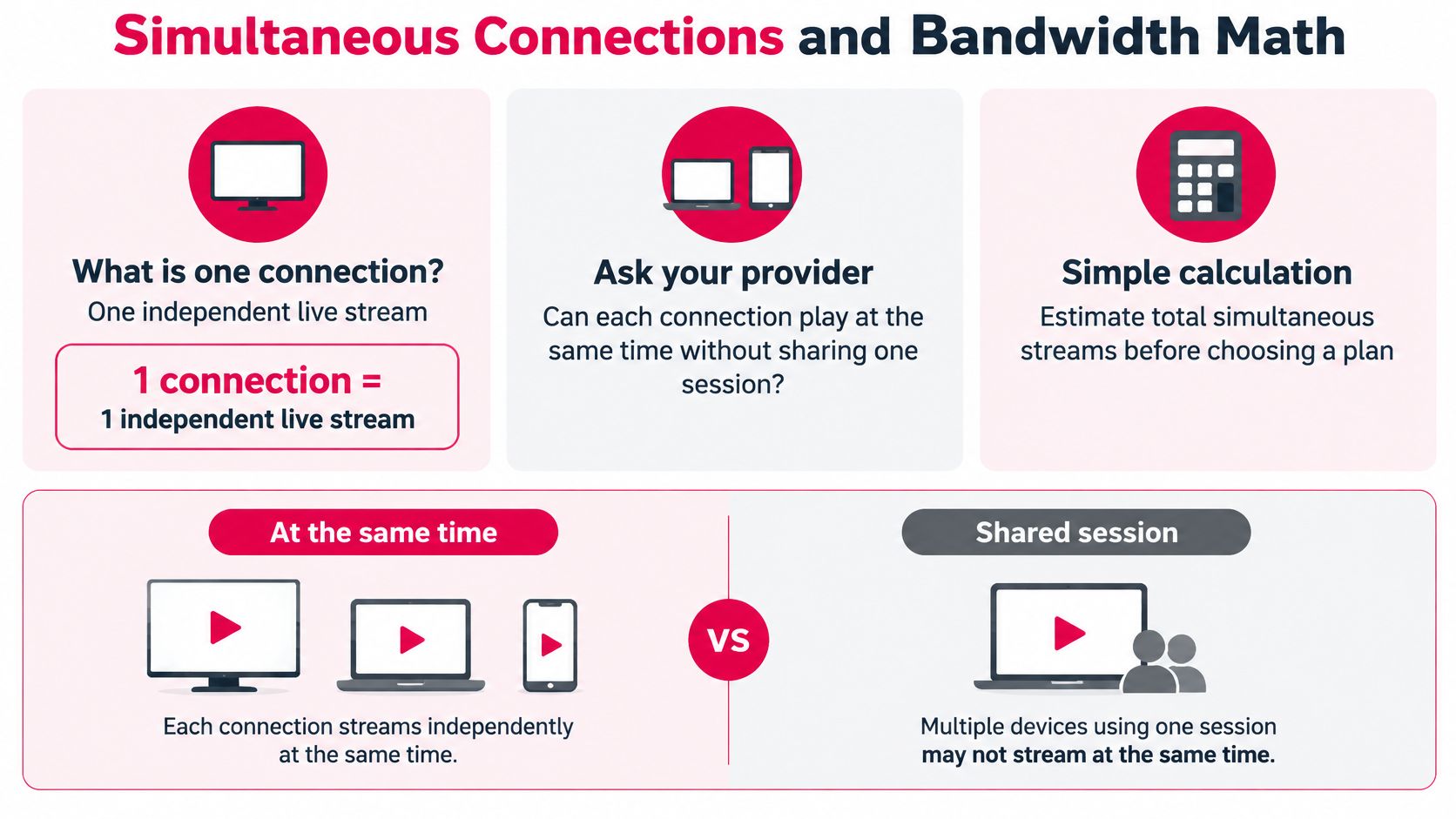
The planning baseline comes from the regulator. The CRTC's mobile technical metrics put HD and full HD video streaming at roughly 6 Mbps of downlink, with a latency target below 100 ms for the corresponding advanced-service benchmark (CRTC mobile and broadband metrics). That figure is for HD. A 4K stream needs substantially more, and it's far more sensitive to packet loss and retransmissions.
So the arithmetic is: estimate the bitrate of each concurrent stream, add them together, then add about 50% headroom for phones, updates, gaming and other people in the house.
| Simultaneous HD streams | Approximate load | Practical note |
|---|---|---|
| 1 | about 6 Mbps | Single room with light other use |
| 2 | about 12 Mbps | Couple or two rooms watching at once |
| 3 | about 18 Mbps | Family of three; upgrade if Wi-Fi is weak |
| 4 | about 24 Mbps | Wired connection for the main TV recommended |
| 5 | about 30 Mbps | Test during evening peak before committing |
These are planning estimates from the 6 Mbps baseline with headroom set aside, not provider specifications.
Add the streams, then add half again. The number you get is the connection speed you actually need, not the one printed on the box.
A Worked Example for One Household
Two televisions streaming HD at once is about 12 Mbps. A phone watching something in the kitchen adds roughly 3 to 6 Mbps. A console downloading an update or playing online adds several more, plus overhead. You're now at roughly 20 Mbps of sustained traffic, and with headroom that lands near 30 Mbps.
That's why a 50 Mbps connection is the comfortable floor for a busy household rather than an extravagance, even though a single stream uses only a fraction of it. The pressure comes from concurrency and from evening congestion, not from any one screen.
Data Caps and the Monthly Total
Bandwidth has a volume side too. CRTC data lists average wireline usage of about 2.86 GB per hour for Netflix, 2.20 GB per hour for CraveTV, 1.22 GB per hour for Global TV and 0.89 GB per hour for CBC TV, and notes that streaming can range from about 50 MB per hour for audio up to 5 GB per hour for 4K video (CRTC communications monitoring report). Four hours a day at high bitrate runs into hundreds of gigabytes a month before phones, gaming and downloads are counted. Check that your internet plan has no cap that conflicts with that use, and if concurrent-stream limits confuse you, this explanation of how concurrent stream limits work in Canada is worth five minutes.
Three setup rules do most of the work: connect the main television by Ethernet where the cable run allows, prefer 5 GHz or 6 GHz Wi-Fi over the crowded 2.4 GHz band, and keep the router central rather than tucked behind a television cabinet.
Checking Device and Player Compatibility
The subscription and the player are two separate pieces, and mixing them up is the most common source of "it doesn't work" on day one. The subscription supplies the content. A player app on your device displays it. Players you'll meet include IBO Player, VIVO, BOB and TiviMate, and you should confirm which ones are supported on each specific device before paying, not after.
| Device | What to check | Practical note |
|---|---|---|
| Smart TV (Samsung, LG or other brands) | Operating system version and a current player app | Older models may not run newer apps |
| Amazon Firestick | Free storage and player app compatibility | Keep the device updated; full storage often causes stalls |
| Android TV or Google TV box | Available memory and player app in the store | Low-memory boxes struggle with high-resolution decoding |
| iPhone, iPad or Mac | Player app availability in the app store | Check current availability before subscribing |
| Windows PC | Hardware decoding support and player app | A wired connection gives the most stable playback |
Each row hides a specific failure. On a Smart TV, the model year is the limiting factor, and a television that streams apps happily may still lack a current player. On a Firestick, free storage matters more than raw speed; a device packed with apps and cached data stalls in ways that look like a network fault. Android boxes differ wildly in memory, and a low-memory box will struggle to decode a high-resolution stream no matter how good your internet is.
Where Activation Failures Come From
Most first-day problems aren't technical at all. They're typing. Login details must be entered exactly as provided, including capital letters, and a single wrong character produces the same vague error as an expired subscription. Copy and paste where you can, and check for a trailing space before you contact support.
Apple devices deserve their own check, because app store availability changes. Confirm the player exists for your device today rather than trusting a guide written a year ago. On Windows, enabling hardware decoding takes load off the processor and keeps playback smoother on older machines.
How to Test Stream Quality Before You Commit
A channel list and a resolution claim describe the catalogue. Neither tells you how a stream behaves in your living room at eight o'clock on a Tuesday. That's why the last step before a longer commitment is your own test, run under your own conditions.
Peak hours are the variable that matters. In the CRTC's broadband measurements for fixed-wireless service, 57% of tests recorded during peak hours were below the advertised 50 Mbps threshold, while 43% measured above it, and the same material identifies latency of roughly 35 to 42 milliseconds or lower as generally desirable for activities including video streaming (CRTC broadband measurement report). Those figures come from fixed-wireless testing, so treat them as a warning about peak-hour variance rather than a prediction for your specific line. The lesson holds for any connection type: test when you watch.
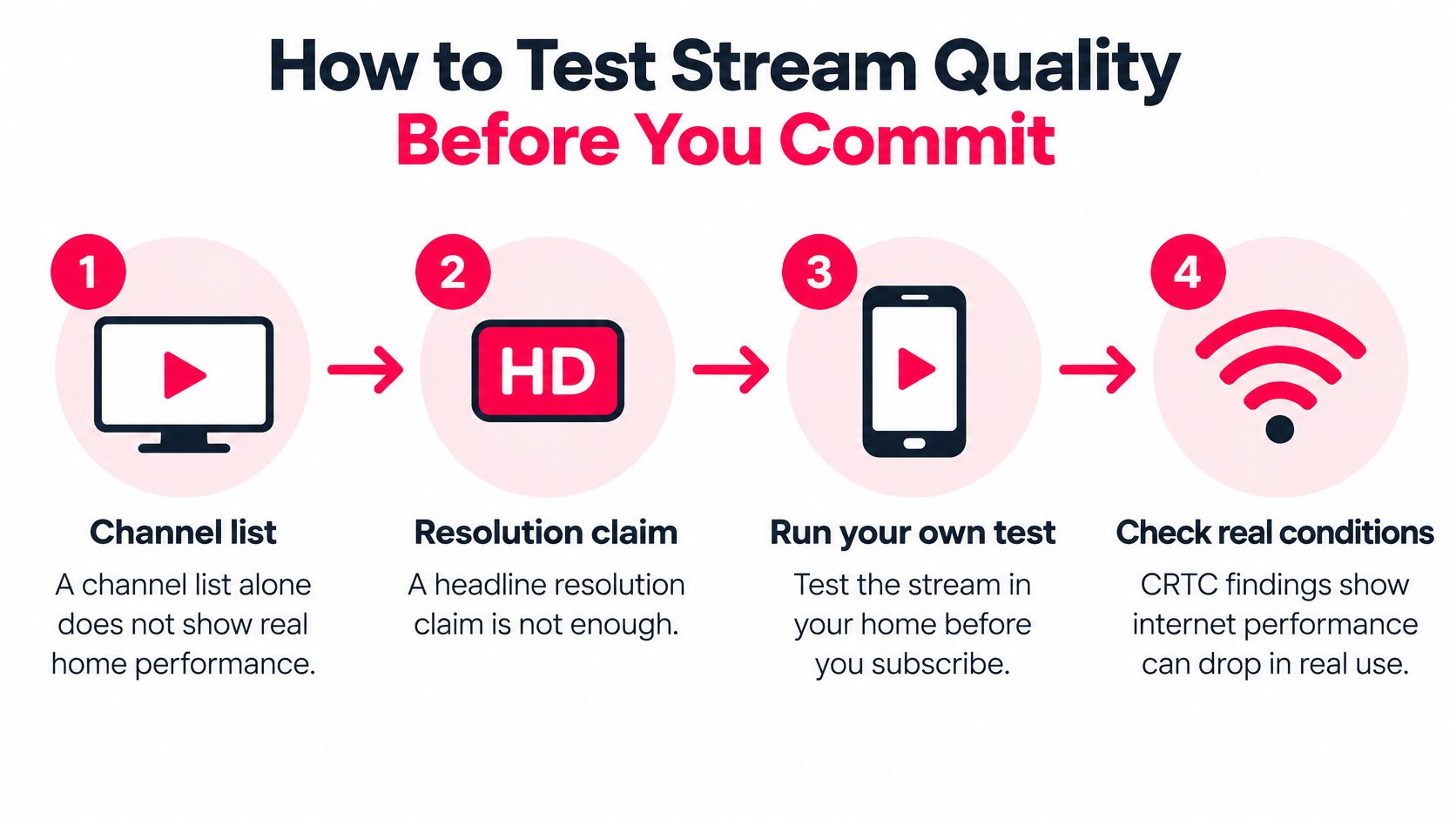
Run the test at the hour you actually watch, on the days you actually watch. Anything else measures a service you don't use.
The Test, Step by Step
- Confirm the trial or refund terms in writing before you begin, so you know what window you're working inside and what it covers. A short trial is enough to judge picture quality if you test properly; here's how a free IPTV trial in Canada without a credit card is typically structured.
- Connect the main device by Ethernet, then repeat the same test on Wi-Fi. The gap between the two results tells you whether your wireless is the bottleneck.
- Play the highest resolution you realistically need on every device you plan to use, including the tablet and the bedroom stick.
- Record four things: startup delay, interruptions, resolution drops and any audio or video that drifts out of sync. Write them down, because memory is generous after a good evening.
- Repeat during the evening peak on separate days. One clean night proves little. Three consistent evenings prove a lot.
- Compare the results against the bandwidth table. If a single device fails while others succeed, check its Wi-Fi signal, reboot the router and update the device before blaming the service.
- Only then move to a longer plan. Steady results across several evenings are the green light.
No test removes all buffering, and no provider can promise an interruption-free season. The goal is narrower and more useful: confirming the service is good enough for your household before you commit a year to it.
Confirm Terms and Pick Your Plan Today
A plan can look right on paper and still be wrong for the house if the terms add cost or friction later. Treat this last check like reading the meter before the bill arrives: the goal is to know what renews, what ends, what is refunded, and what each extra connection does to the monthly total.
Ask for written answers to six questions:
- Renewal: subscriptions are advertised with no contracts or automatic payments, so confirm whether your plan ends on its date or needs a manual renewal.
- Cancellation: how do you cancel, and what happens to the remaining time?
- Refunds: the site advertises a seven-day money-back period, so confirm what it covers and when the clock starts.
- Connections: how many simultaneous streams are included, from one to five, and what does an extra one cost?
- Upgrades: does changing your plan mid-term change the price, and from when?
- Player licence: is a player licence included in the price, or billed separately?
A provider that answers each item plainly is showing how it will behave when something goes wrong in month five.
On trials, be precise. A 24-hour trial is advertised without a credit card requirement; confirm current availability and what it covers before planning your test evening around it. Setup stays short: choose a plan, receive login credentials, install a supported player app, enter the details exactly as given, and start streaming. Activation is typically completed shortly after you subscribe.
What to Do With Your Answer
You now have the four pieces you need: a plan length that matches your tolerance for testing, a channel list checked by name, a connection count that matches your real evening pattern, and a device setup that survived the test. Put that beside the services you already pay for and the internet plan that has to carry it. The right choice is the smallest package that covers the confirmed need, because unused connections and idle channels are still part of the household bill.
Compare current WATCHING FORCES plans, check trial eligibility and confirm the terms that apply to you before paying. For plan-fit questions, message support on WhatsApp with your connection count and devices; that is enough for a straight recommendation. Pick the length, connection count and device setup your own test confirmed, and leave the larger packages alone unless the house will use them every week.
Frequently Asked Questions About IPTV Subscriptions
Does an IPTV subscription include Netflix or Disney+
No. A paid IPTV subscription does not include access to third-party platforms such as Netflix or Disney+, which you subscribe to separately if you want them. Budget for those platforms as their own line items rather than assuming they're bundled.
How many connections do I need
Count the streams you expect at the same time, not the number of devices in the house. Three people watching three different programs need three. Then size the internet plan using the bandwidth table, adding headroom for phones and gaming.
Should I start with a monthly plan
Yes, if you haven't tested the service yet. Start monthly, run the quality test across several evenings, and move to a longer term only when the results are steady. The monthly premium is the cost of finding out.
Is a player app included
Check whether a player licence is included in the price or billed separately, and confirm which player apps are supported on each of your devices. The answer varies by device, so ask per device rather than in general.
Why does my stream buffer on Wi-Fi
The usual causes are a weak signal, congestion at peak hours, or a device with full memory. Work through the test steps to isolate which one applies, because each has a different fix and none of them is "the service is broken." No provider can promise zero buffering, and program guide listings can differ from broadcast times, so treat the guide as a guide.
WATCHING FORCES delivers live Canadian and international channels, sports, movies and on-demand entertainment over your internet connection, with plans that support from one to five simultaneous streams and setup designed for first-time IPTV users. If the arithmetic above points to a plan that fits your household, visit WATCHING FORCES to compare current subscriptions, confirm trial eligibility and check the terms that apply before you commit.

No Responses